Skip to content

Comparison

Visual modelling tools for software architecture, compared

Ten tools for drawing and modelling software architecture — what each one is actually for, where it is strong, and where it will let you down. Written by a team that ships one of them, and says so.

10 tools · reviewed

Where we stand

We build Viaduct, and it is first on this list — so read that placement as ours, not as a verdict from a neutral judge. Everything below the first entry is ordered as the IcePanel article we took the shortlist from ordered it, and the weaknesses we list for Viaduct are the real ones. If a tool here fits your team better, use that one.

The shortlist

#ToolRunsModelsPrice
01ViaductoursBrowserC4, PlantUML sequences, ER modelsFree in the browser; sign in for cloud and teams
02IcePanelBrowserC4Free tier and paid plans, priced per editor
03Enterprise ArchitectDesktopUML, SysML, BPMN, ArchiMate, and morePaid, per seat, with add-ons for team repositories
04Visual ParadigmBrowser + desktopUML, SysML, BPMN, ArchiMate, ERD, DFDPaid editions; a free Community Edition for non-commercial use
05ArchiDesktopArchiMateFree and open source
06GaphorDesktopUML, SysML, RAAML, C4Free and open source
07StarUMLDesktopUML, SysML, ERD, DFDPaid one-off licence; an unlimited evaluation with nags
08ArchipegBrowserC4, Enterprise architecture, Domain-driven designFree tier and paid plans
09GenMyModelBrowserUML, BPMN, ArchiMateFree and paid plans, per user
10AplasBrowserSoftware landscape mapsFree tier and paid plans

What we compared them on

  • What it models — C4, UML, ArchiMate, BPMN — or an inventory rather than a notation. This rules more tools in and out than any other question.
  • Where it runs — Browser or desktop, hosted or self-hosted. It decides who can open the model without asking IT for anything.
  • How a team works in it — Live co-editing, git files, or a shared repository someone has to operate.
  • What it carries beyond boxes — Documentation, sequences, schemas, ownership, links to the real systems — the things that decide whether the model stays true a year from now.
  • What it costs to keep — Free, one-off, or per-editor forever. Per-seat pricing quietly decides how many people are allowed to keep the model current.

01

Quiet Grid Labs

Viaduct

Our tool

Best for: Product teams who want one living C4 model their docs — and their coding agents — can navigate

Browser

C4 · PlantUML sequences · ER models

Free in the browser; sign in for cloud and teams

Viaduct is a browser-based C4 editor built around a single idea: the four levels are one model, not four pictures. Opening a container shows the components inside that container, and opening a component reaches the code level, so a lower level cannot quietly contradict the one above it.

The second idea is that the explanation belongs on the element. Markdown documentation, PlantUML sequences, ER models and API contracts attach to the container or component they describe, which is what stops the architecture knowledge from scattering across a wiki, a repo and three Slack threads.

c4.quietgridlabs.com
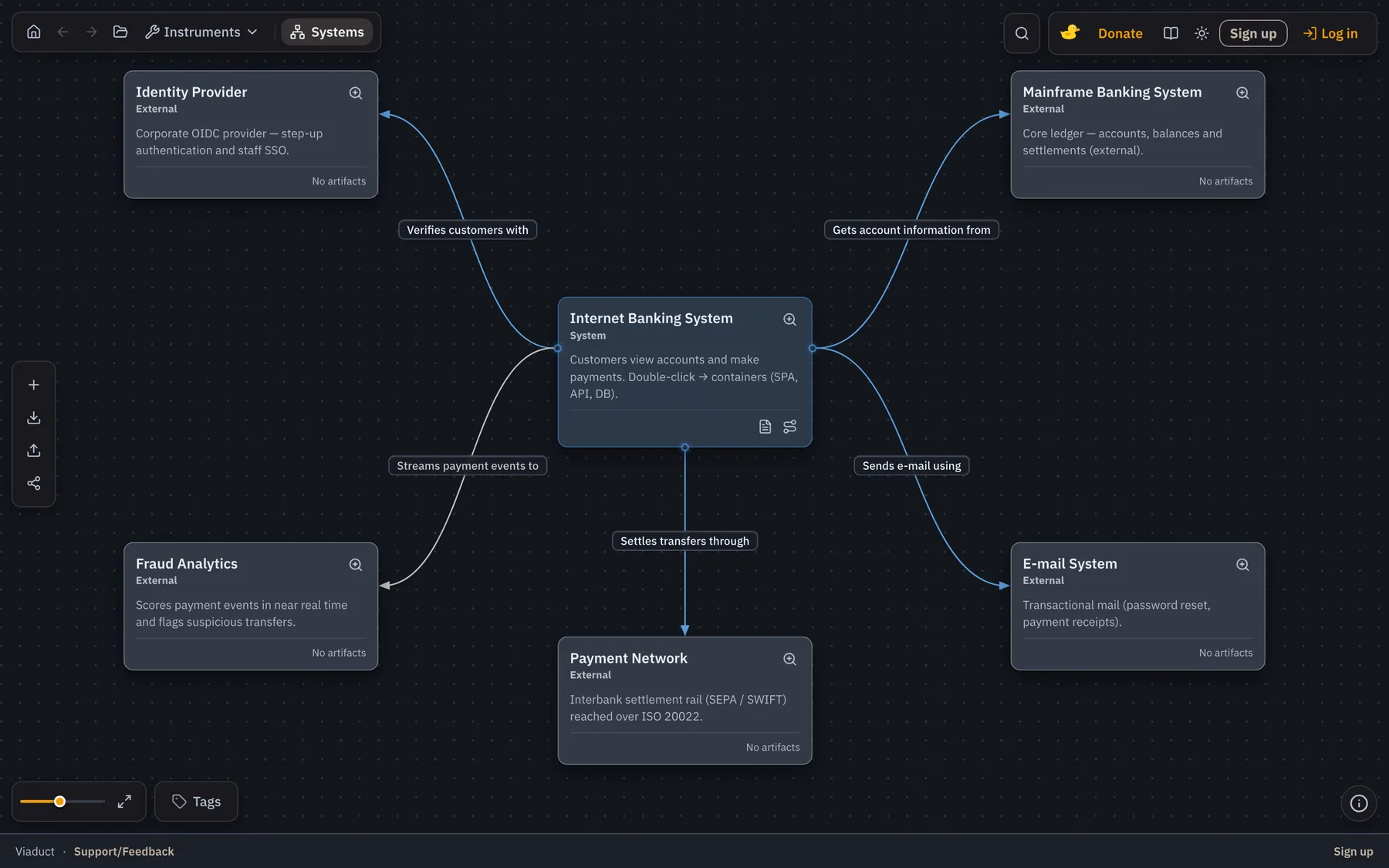
Viaduct showing a C4 system context diagram: a customer, the internet banking system, a mainframe and an e-mail system, with labelled relationships.

Strengths

  • All four C4 levels are one navigable model — drilling in is a move inside the model, not a jump to an unrelated file.
  • Markdown docs, PlantUML sequences, ER models and API contracts live on the element instead of in a separate wiki.
  • Runs locally in the browser with no account: the model stays on your machine until you choose cloud storage.
  • An MCP server exposes the model to Cursor and Claude Code, so coding agents read the architecture instead of inferring it from the repository.
  • Live collaboration, shareable views and JSON export once you sign in.

Trade-offs

  • C4 only. No UML class diagrams, no ArchiMate, no BPMN — the wrong tool for an enterprise-architecture portfolio.
  • The youngest tool on this list: a smaller ecosystem, fewer integrations and less third-party material than the incumbents.
  • No code round-trip. The model is written by people or agents, not reverse-engineered from a codebase.
  • Browser only — there is no desktop build and no offline-first native app.
02

IcePanel

IcePanel

Best for: Larger product organisations that need many people looking at one shared C4 model

Browser

C4

Free tier and paid plans, priced per editor

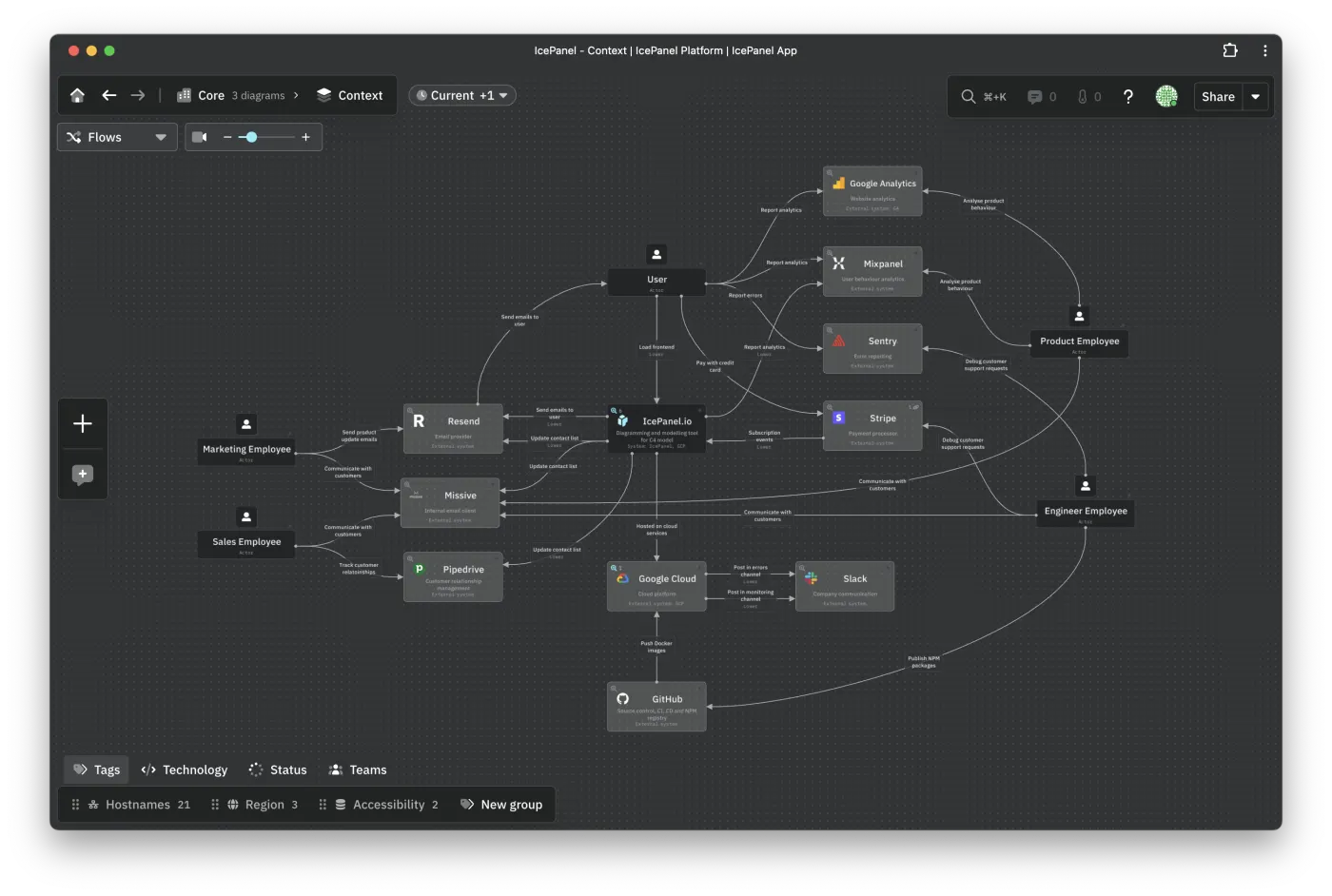
IcePanel is a collaborative SaaS tool for modelling software architecture with C4. Diagrams are interactive and zoomable rather than exported images, and every box is an object in a shared catalog, so renaming a container renames it everywhere it appears.

Its distinctive features are the overlays and the flows: tags paint teams, status or technology across the model, and flows describe a runtime path step by step on top of the static structure.

icepanel.io
IcePanel showing an interactive C4 model with a system landscape and tag overlays.

Strengths

  • Interactive zoomable diagrams built on a shared object model, not a canvas of shapes.
  • Tag overlays put team ownership, status or technology on one model without redrawing it.
  • Flows describe runtime behaviour on top of the static structure.
  • Objects link out to the real things — repositories, dashboards, docs — and drafts let you model a future state next to the current one.
  • Polished onboarding and documentation; the easiest tool here to hand to a non-architect.

Trade-offs

  • C4 only, so a team that also owes UML or ArchiMate deliverables needs a second tool.
  • SaaS only. There is no self-hosted option for teams with data-residency requirements.
  • Per-editor pricing adds up quickly once modelling stops being one person’s job.
  • The model is maintained by hand — nothing imports it from code or infrastructure.
  • Objects carry descriptions and links, but long-form docs, sequences and schemas still live in other tools.

03

Sparx Systems

Enterprise Architect

Best for: Regulated and systems-engineering organisations that must model everything and prove traceability

Desktop

UML · SysML · BPMN · ArchiMate · and more

Paid, per seat, with add-ons for team repositories

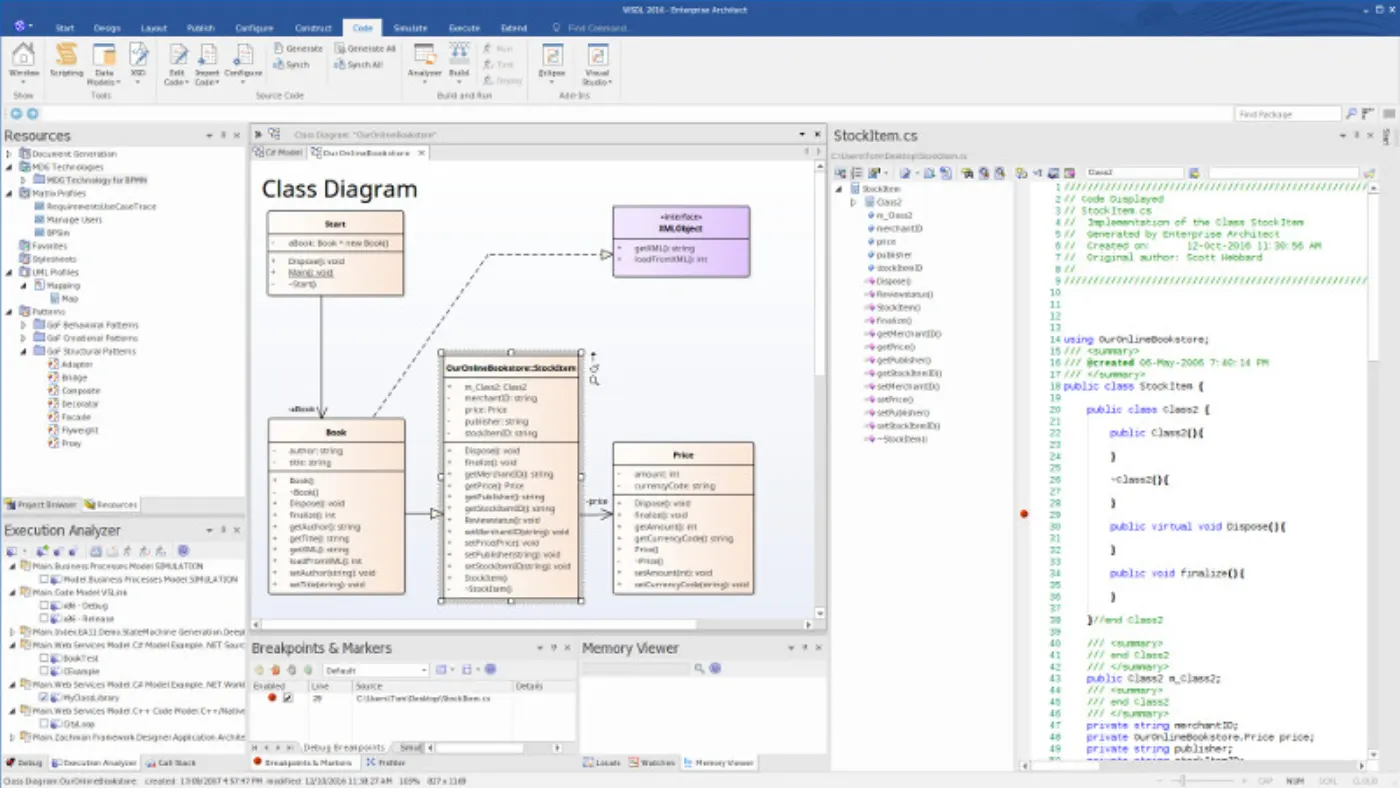
Enterprise Architect is a full-lifecycle modelling repository: business processes, requirements, software design, deployment and code, all in one database. It is the tool most often found in defence, aerospace, telecoms and banking, where a model is a deliverable someone audits.

It is not really a diagramming tool. Diagrams are views onto a repository that also holds requirements, test cases, traceability matrices and generated code.

sparxsystems.com
Sparx Enterprise Architect with a UML model tree, diagram canvas and property panels.

Strengths

  • Enormous notation coverage — UML, SysML, BPMN, ArchiMate, and domain-specific profiles on top.
  • Handles very large repositories without falling over, which few tools on this list can claim.
  • Round-trip code engineering for many languages, plus documentation generation.
  • Model simulation and execution for behavioural and systems-engineering work.
  • End-to-end traceability from requirement to design element to test — the reason it survives audits.

Trade-offs

  • Dense, dated Windows UI with one of the steepest learning curves in the category.
  • macOS and Linux are second-class: a VM or Wine, not a native app.
  • Shared team modelling needs a database or the Pro Cloud Server — infrastructure someone has to run.
  • Per-seat licensing plus add-ons makes casual read-only access expensive.
  • Overwhelming if what you actually needed was a container diagram your team would keep current.

04

Visual Paradigm

Visual Paradigm

Best for: Teams that want modelling, process design and delivery management from one vendor

Browser + desktop

UML · SysML · BPMN · ArchiMate · ERD · DFD

Paid editions; a free Community Edition for non-commercial use

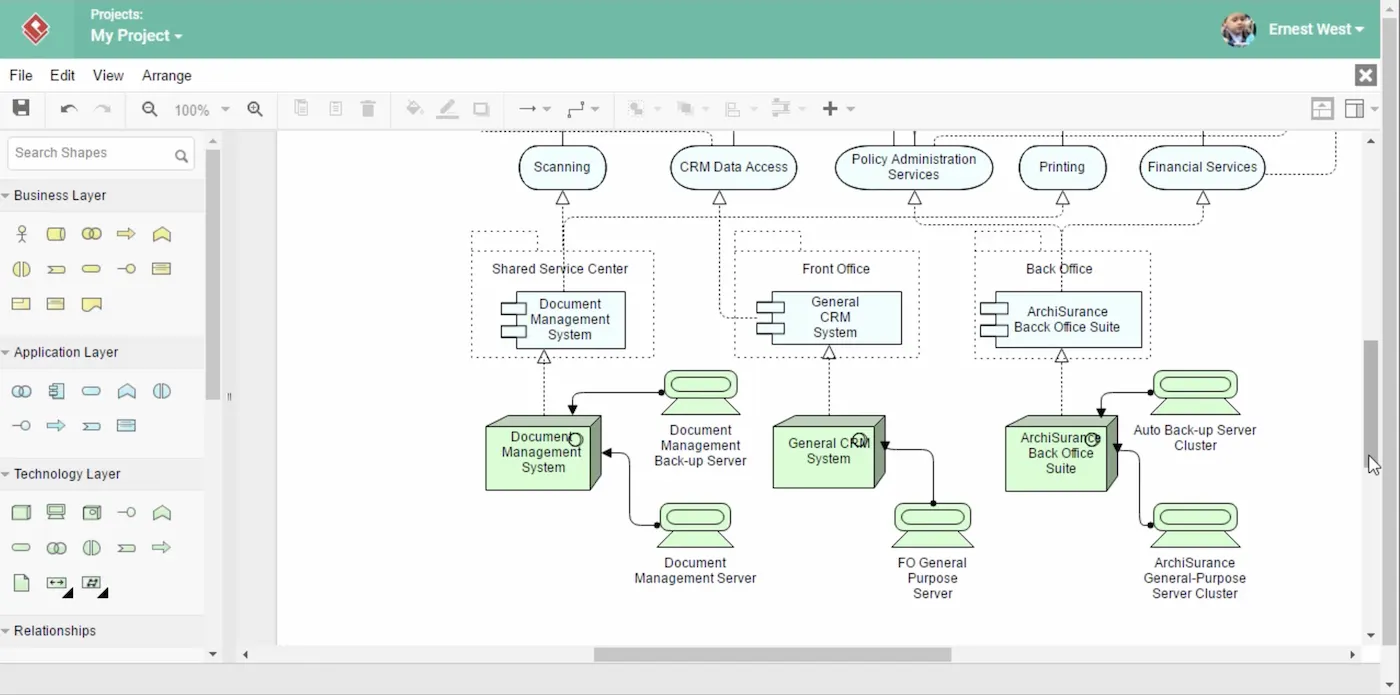
Visual Paradigm is a modelling suite that kept growing: every mainstream notation, plus user story mapping, agile boards, ITSM and enterprise-framework content packs. The desktop application is the real product; an online editor covers lighter collaborative diagramming.

It suits an organisation that wants a single vendor across analysis, design and project management, and is willing to live inside a large tool to get it.

visual-paradigm.com
Visual Paradigm desktop application with a UML diagram, model tree and toolbars.

Strengths

  • The broadest diagram coverage here — UML, BPMN, ArchiMate, ERD, DFD and mind maps in one place.
  • Project and agile tooling built in: user stories, story maps, backlogs, traceability to models.
  • Code engineering, database round-trip and documentation publishing.
  • Enterprise framework support (TOGAF, Zachman) with templates and guidance.
  • Runs on macOS, Windows and Linux, with an online editor for casual contributors.

Trade-offs

  • A confusing matrix of editions and licences; working out what you need is a project of its own.
  • The UI is crowded, and overlapping features make the same job doable three ways.
  • The free Community Edition is non-commercial — it cannot be used for company work.
  • The online editor is noticeably weaker than the desktop application.
  • You buy a suite even when the need is architecture diagrams alone.

05

Phillip Beauvoir / The Open Group community

Archi

Best for: Enterprise architects doing ArchiMate work without a licence budget

Desktop

ArchiMate

Free and open source

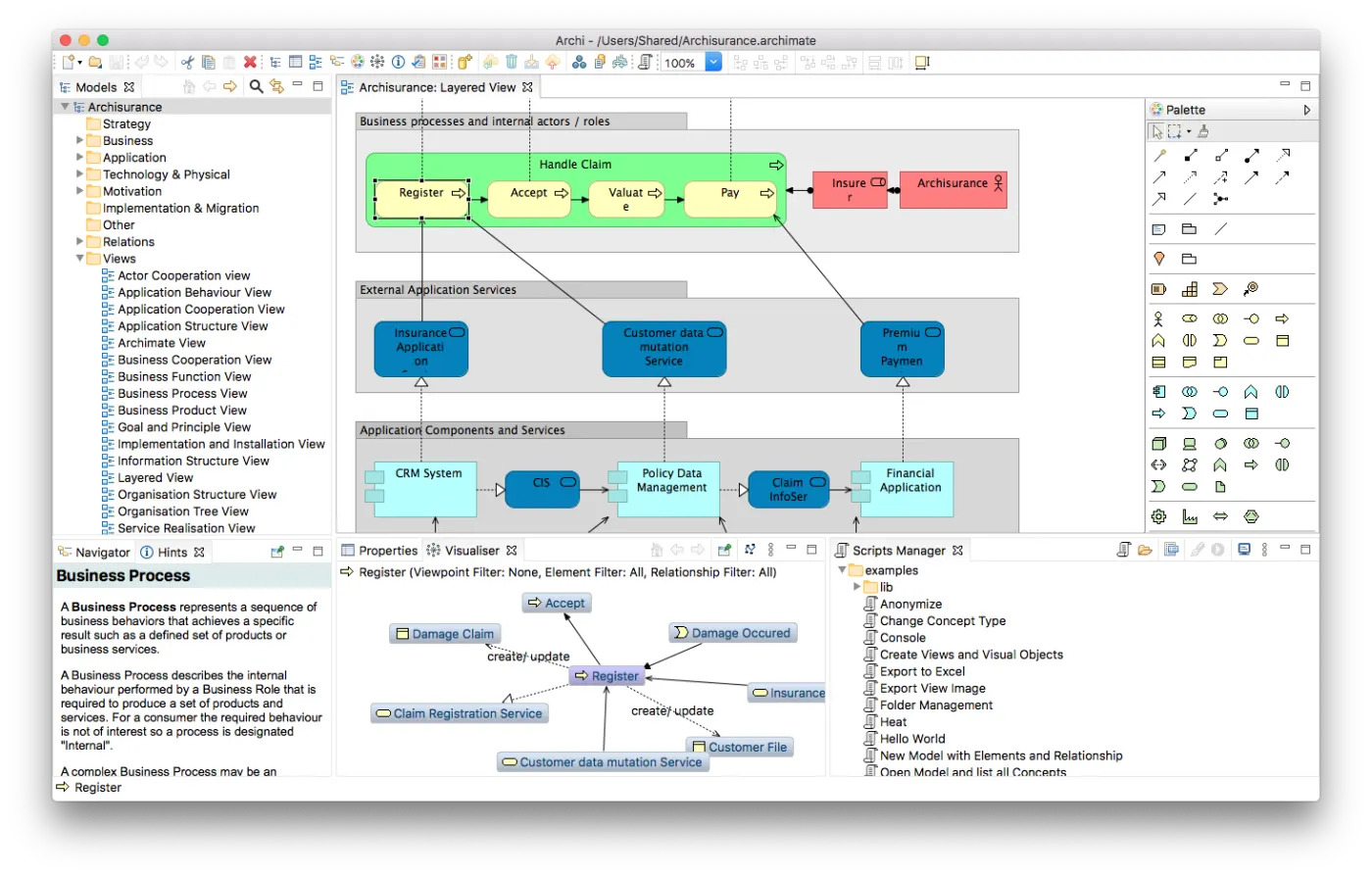
Archi is the de-facto ArchiMate tool: a free, open-source desktop application covering the full ArchiMate specification, with a hints view that explains each element as you place it — which makes it the cheapest way to learn the notation as well as to use it.

It is a modelling tool rather than a drawing tool: elements live in a model tree, and diagrams are views onto them, with a visualiser for tracing relationships.

archimatetool.com
Archi with an ArchiMate model tree, a layered view and the hints panel.

Strengths

  • Free, open source and actively maintained, with no licence conversation to have.
  • Complete ArchiMate 3 support, and the hints view teaches the notation while you work.
  • Model tree, relationship visualiser and sketch views for early, informal work.
  • Plugins where it matters: coArchi for git-based team collaboration, jArchi for scripting.
  • Light, fast and cross-platform; models are files you can put under version control.

Trade-offs

  • ArchiMate only. No native C4 or UML — C4-style work means bending the notation.
  • The Eclipse-based interface looks and behaves like Eclipse.
  • Collaboration is git through coArchi, with real merge conflicts to resolve by hand.
  • Nothing hosted: sharing with stakeholders means exporting HTML reports or images.
  • ArchiMate itself is a steep ask for a product team that just wants to explain a system.

06

Gaphor community

Gaphor

Best for: Individuals and small teams who want a light modelling tool that keeps models in git

Desktop

UML · SysML · RAAML · C4

Free and open source

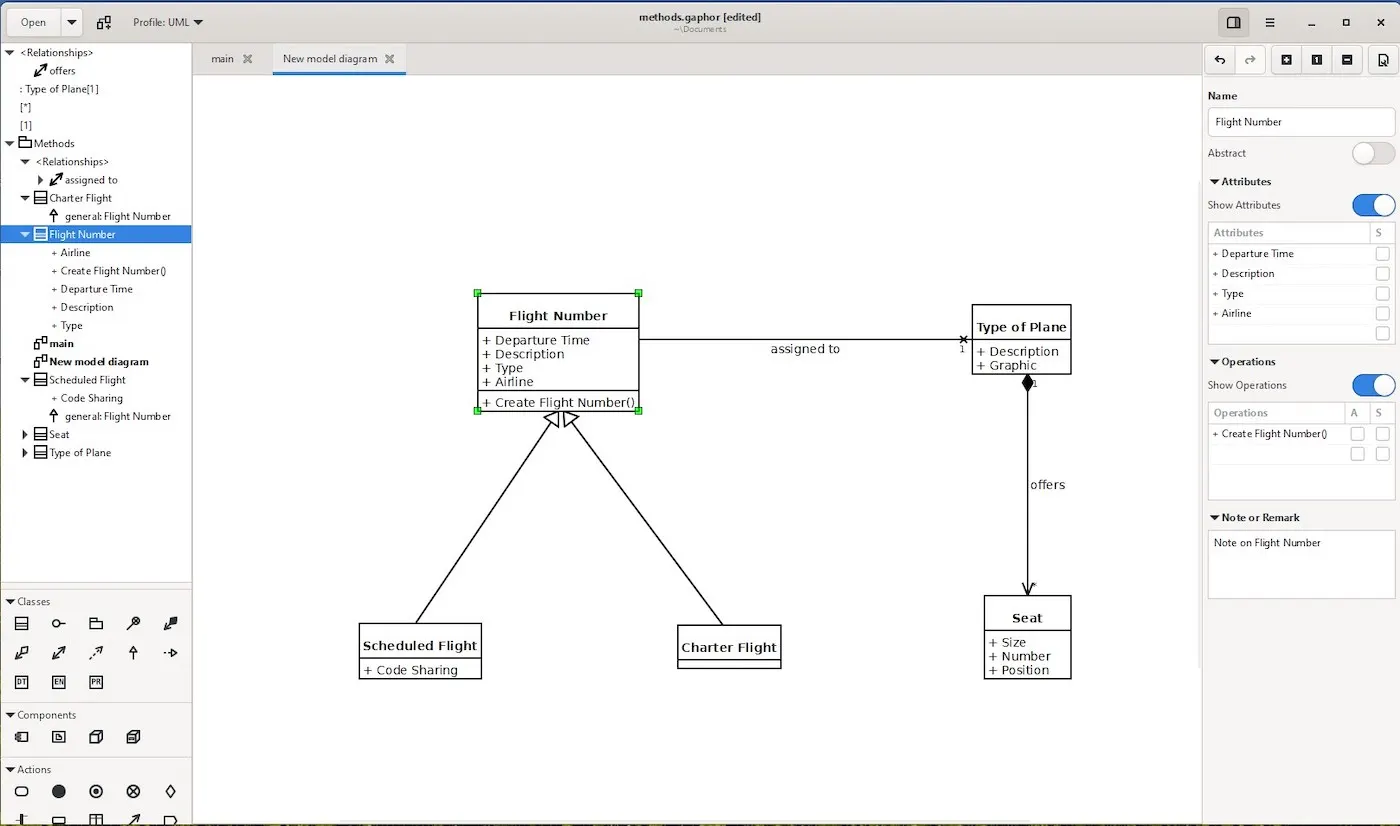
Gaphor is a small open-source desktop modelling application written in Python. It aims at the person who wants to model properly — a real UML metamodel underneath — without installing an enterprise suite first.

It is one of the few open-source tools that supports the C4 model alongside UML and SysML, which makes it a reasonable free starting point for architecture work.

gaphor.org
Gaphor desktop modelling application with a UML diagram and element tree.

Strengths

  • Free, open source, and genuinely quick to get started with.
  • C4 support alongside UML, SysML and RAAML in one small tool.
  • Native builds for macOS, Windows and Linux.
  • Extensible in Python, with a plugin mechanism for custom needs.
  • Models are small local files that diff and version like source code.

Trade-offs

  • A community project: fewer features and a slower cadence than the commercial suites.
  • Single-user desktop — no live collaboration and no hosted sharing.
  • Elements carry little documentation; there is no place for long-form docs or schemas.
  • Large models can get slow and unwieldy.
  • C4 support is diagram-level: you draw C4 shapes, but you do not get the navigable model IcePanel or Viaduct give you.

07

MKLab

StarUML

Best for: Engineers who want fast, clean UML on the desktop without a suite around it

Desktop

UML · SysML · ERD · DFD

Paid one-off licence; an unlimited evaluation with nags

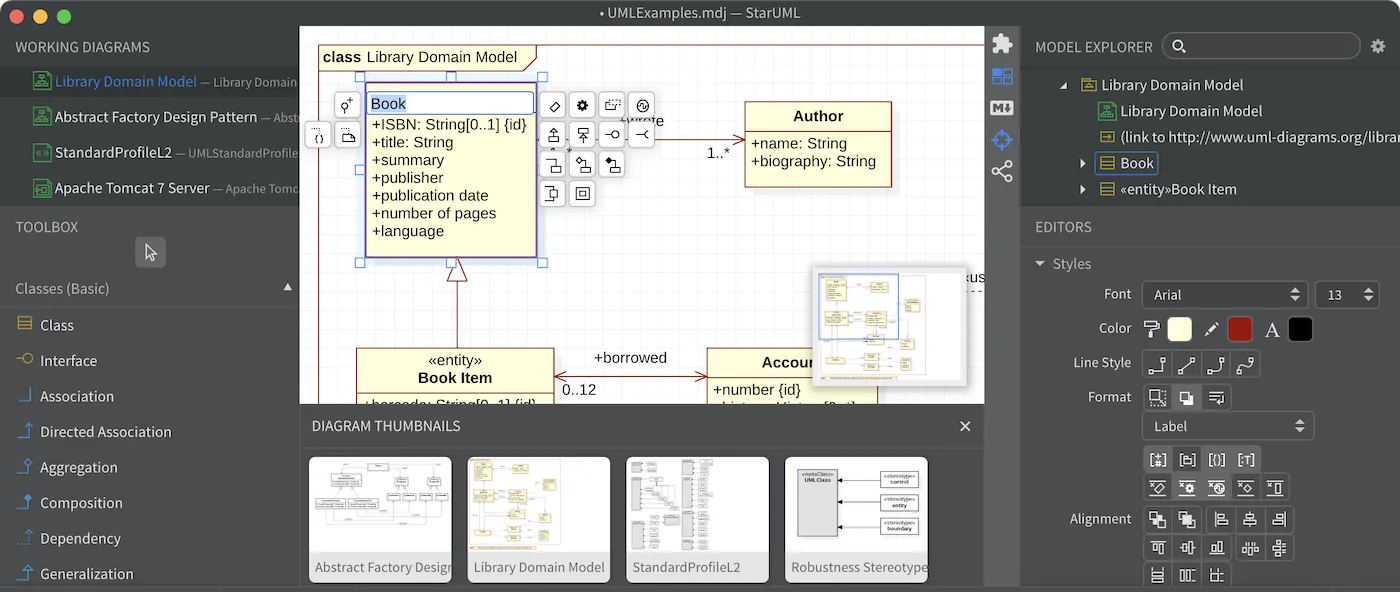
StarUML is a focused desktop modelling application: a modern interface, wide UML 2 coverage, and model files in JSON so they behave sensibly in version control.

It sits between the free tools and the enterprise suites — cheap, quick and pleasant to use for design work by one person or a handful of them.

staruml.io
StarUML with a UML class diagram, toolbox and model explorer.

Strengths

  • The nicest desktop UI in this group; fast to draw in and easy to learn.
  • Broad UML 2 coverage plus SysML, ERD and DFD.
  • Models are JSON — diffable, reviewable and safe in a repository.
  • Code generation and documentation export (HTML, PDF, Word).
  • Extensible with JavaScript extensions, and cheap next to the enterprise suites.

Trade-offs

  • Single-user desktop: collaboration means passing files through git.
  • Unregistered use nags, and the evaluation is not a licence you can ship company work under.
  • The extension ecosystem is thin and community-maintained.
  • Nothing hosted — stakeholders get an exported image, not a model they can open.
  • No repository governance, traceability or portfolio view for a large organisation.

08

Archipeg

Archipeg

Best for: Cross-functional teams mapping an application portfolio as well as its architecture

Browser

C4 · Enterprise architecture · Domain-driven design

Free tier and paid plans

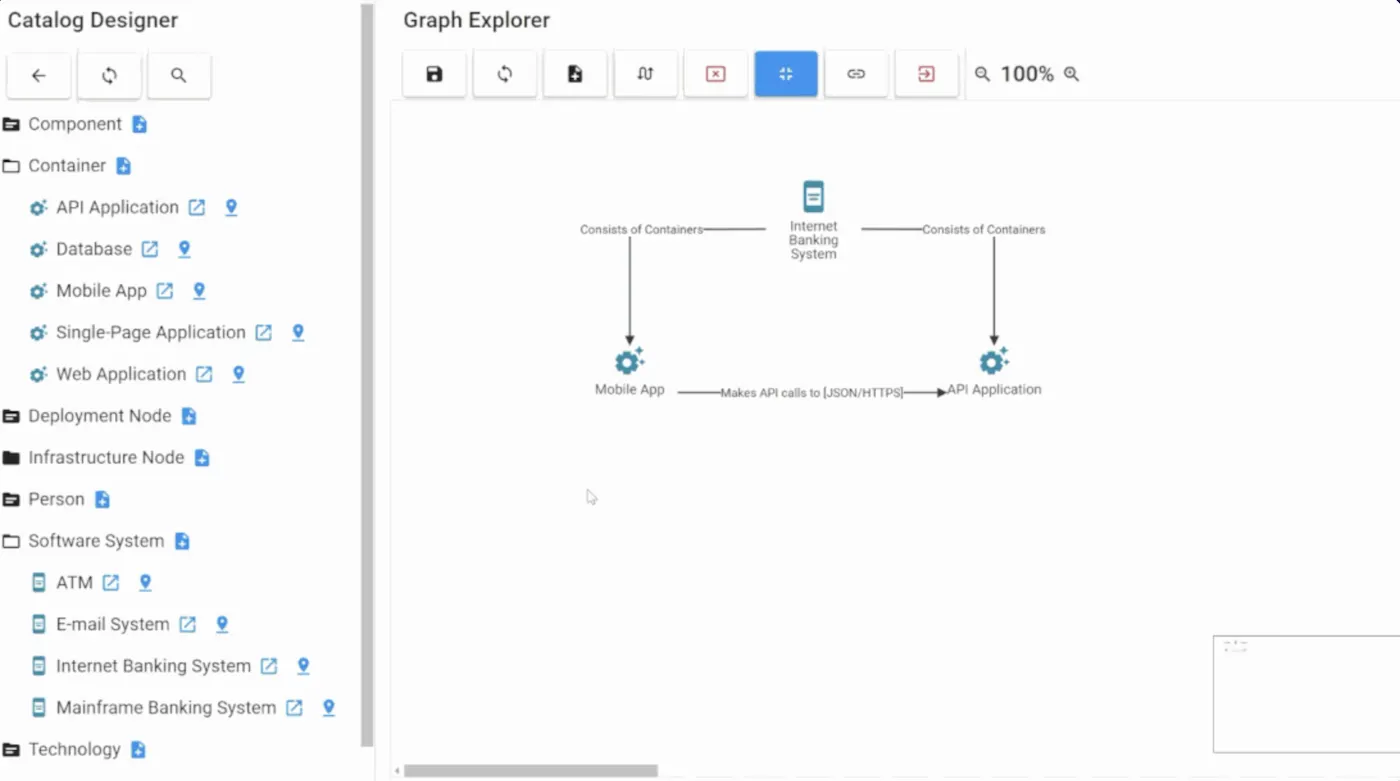
Archipeg is a cloud modelling tool aimed at the space between enterprise architecture and software design: application portfolio management, C4 modelling and domain-driven design concepts in one hosted workspace.

The centre of it is an object catalog — a searchable inventory of applications, capabilities and domains that the diagrams are views onto.

archipeg.com
Archipeg showing an architecture model and object catalog in the browser.

Strengths

  • Application portfolio management alongside architecture modelling, rather than in a separate spreadsheet.
  • Supports C4 and domain-driven design concepts, not only classical EA layers.
  • An object catalog that turns the model into searchable, shareable knowledge.
  • Hosted and browser-based — nothing to install for occasional contributors.
  • A free tier to evaluate it properly before committing.

Trade-offs

  • A small vendor with a small community: fewer tutorials, examples and integrations.
  • The metamodel needs deciding up front; value arrives later than with a plain C4 tool.
  • Hosted only, with no self-hosted deployment.
  • Diagramming is less polished than in the specialised tools.
  • Niche enough that new hires are unlikely to have used it before.

09

Axellience

GenMyModel

Best for: Distributed teams and classrooms that want UML or BPMN with live co-editing

Browser

UML · BPMN · ArchiMate

Free and paid plans, per user

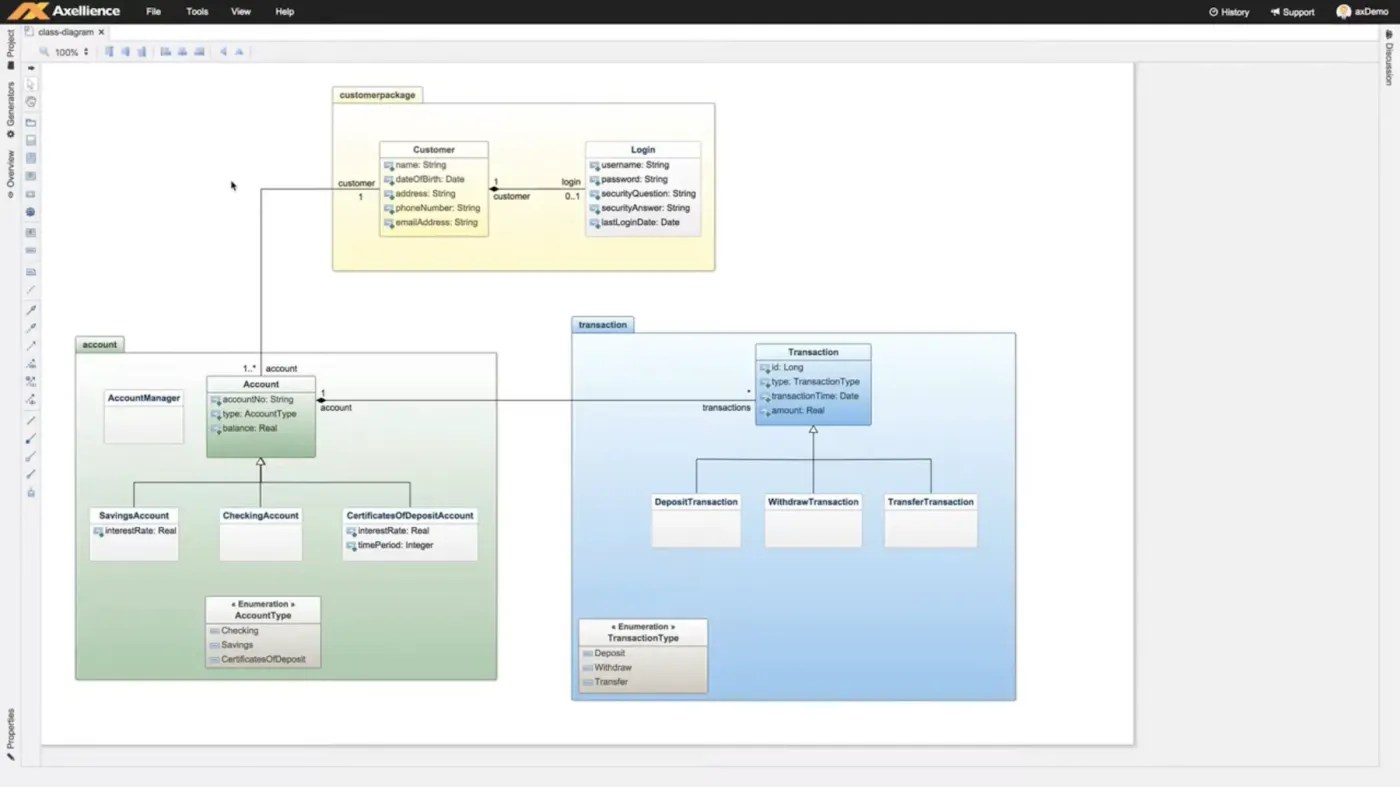
GenMyModel is an online modelling and diagramming tool with Google-Docs-style collaboration: several people edit the same model at once, and everyone else can watch it change live.

It covers UML, BPMN and ArchiMate in the browser, with search across the model, versioning and a time machine for walking back through its history.

genmymodel.com
GenMyModel browser editor with a UML diagram and collaboration panel.

Strengths

  • Real-time multi-user editing, with live viewing for everyone else.
  • UML, BPMN and ArchiMate in one browser workspace.
  • Versioning and a time machine that make model history navigable.
  • Search across the whole model, not just the open diagram.
  • Nothing to install — the easiest tool here for occasional stakeholders to open.

Trade-offs

  • Browser performance degrades as models grow large.
  • No first-class C4 support — you approximate it with UML shapes.
  • Code engineering is shallow next to Enterprise Architect or Visual Paradigm.
  • Per-user subscription, and availability and data residency are the vendor’s to decide.
  • Offline work is not really the point of it.

10

Aplas

Aplas

Best for: Platform and portfolio teams who need to see a large estate, not design one system

Browser

Software landscape maps

Free tier and paid plans

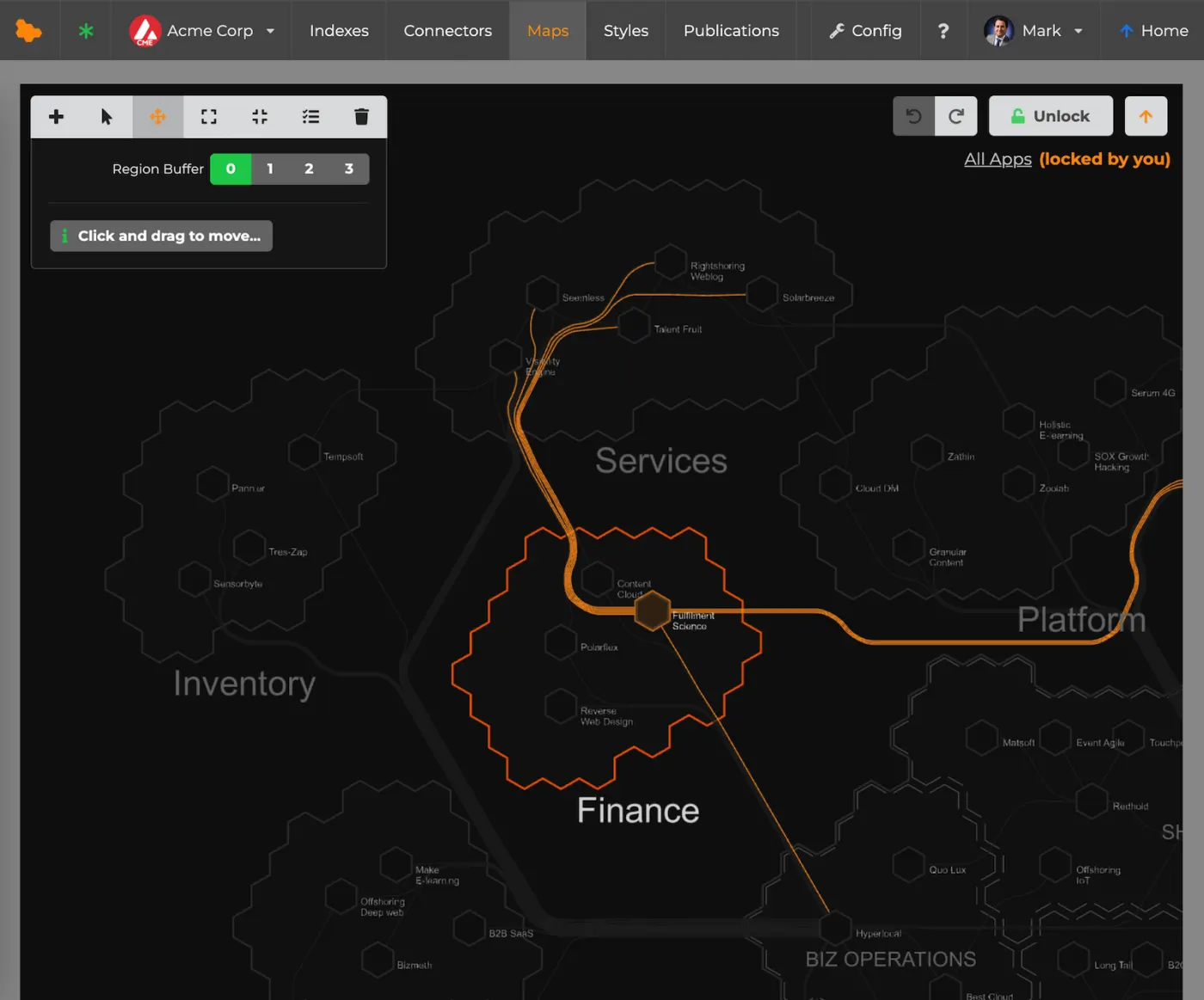
Aplas is the outlier on this list: instead of drawing an architecture, you feed it an inventory — CSV or API — and it renders the software landscape as a map you can search and fly through in 3D.

It answers portfolio questions: what do we have, who owns it, how is it grouped, where are the clusters. It does not answer design questions about a single system.

aplas.com
Aplas rendering a software landscape as a 3D map of buildings and districts.

Strengths

  • Maps are generated from data rather than drawn, so they do not go stale the way diagrams do.
  • Indexes from CSV or API, which fits an existing service catalog or CMDB.
  • Text search across a large estate, with several map styles including 3D.
  • Publish and share a landscape that non-technical stakeholders will actually look at.
  • A genuinely different visual language when a portfolio has outgrown box-and-line diagrams.

Trade-offs

  • Not a modelling tool: no C4, no UML, no design work — visualisation only.
  • Useless without a reliable inventory feed to point it at.
  • The city-map metaphor is striking but harder to reason about than a labelled diagram.
  • Narrow use case, so it usually sits alongside a modelling tool rather than replacing one.
  • A small vendor in a niche category.

How to choose

Almost every bad tool decision here is the same mistake: buying the notation coverage of an enterprise suite for a job that was one container diagram nobody kept current. Start from what you owe the reader, not from the feature matrix.

  • One system, one team, docs that must stay attached — Viaduct or IcePanel. Both give you a navigable C4 model rather than a folder of pictures; Viaduct keeps the documentation, sequences and schemas on the elements and opens the model to coding agents, IcePanel is stronger on tag overlays and large-organisation collaboration.
  • Requirements, traceability and an auditor — Enterprise Architect, or Visual Paradigm if you also want delivery management from the same vendor. Nothing else here produces the artefacts a regulated programme is asked for.
  • Enterprise architecture on no budget — Archi. It is free, it is complete ArchiMate, and coArchi makes a team of architects workable if everyone is comfortable with git.
  • One engineer, small models, files in the repository — Gaphor if free matters most, StarUML if the editing experience does. Both keep models as files that diff.
  • A portfolio to see rather than a system to design — Aplas for a generated landscape map, Archipeg if you want portfolio management and modelling in the same workspace.

If the open question is the category rather than the product — a drawing tool, diagrams as code, or a model — Choosing a C4 tool works through that decision first.

Frequently asked

Which of these tools are free?

Archi and Gaphor are free and open source outright. Viaduct, IcePanel, Archipeg, GenMyModel and Aplas have free tiers with paid plans above them. Visual Paradigm has a Community Edition that is free for non-commercial use only. Enterprise Architect and StarUML are paid.

Do I need a modelling tool, or is a drawing tool enough?

A drawing tool is fine for one diagram in one meeting. A modelling tool earns its place when the same container appears on five diagrams: it renames in one move, it cannot be drawn twice with two different names, and drilling into it shows what is actually inside it. If your diagrams keep disagreeing with each other, you have outgrown drawing.

Is C4 a replacement for UML?

No. C4 describes the static structure of a system at four levels of zoom, for an audience that includes people who do not write code. UML describes designs in far more detail, and is what you want for class-level design, state machines or systems engineering. Many teams use C4 for the map and UML sequence diagrams for the tricky flows.

Which tools work with AI coding agents?

Viaduct ships an MCP server, so Cursor, Claude Code and Claude Desktop read the model directly — the elements, their documentation and their sequences — instead of guessing the architecture from the repository. The others expose models through exports or APIs, which an agent can be pointed at but is not designed for.

How current is this comparison?

It was last reviewed on 8 September 2026. Feature sets and especially pricing move quickly in this category — treat the price column as a shape, not a quote, and check the vendor’s own page before you commit.

Try the one we build

Viaduct runs in the browser with no account: the model stays on your machine until you decide otherwise. If C4 is the notation you need, it is ten minutes to find out whether this is the shape of tool you wanted.

Product screenshots belong to their respective vendors. The captures for the nine third-party tools are the ones published in IcePanel’s “Top 9 visual modelling tools for software architecture”, which is also the shortlist this page starts from; the Viaduct capture is our own. Source article.