
Viaduct · C4 modelling
Your architecture, as one model instead of twelve diagrams
Viaduct is a browser-based C4 editor. All four levels live in one navigable model, and the Markdown, sequences, ER diagrams and API contracts that explain the system stay attached to the elements they describe.
Runs locally in the browser. Sign in only when you want cloud storage and a team.
Or download the desktop app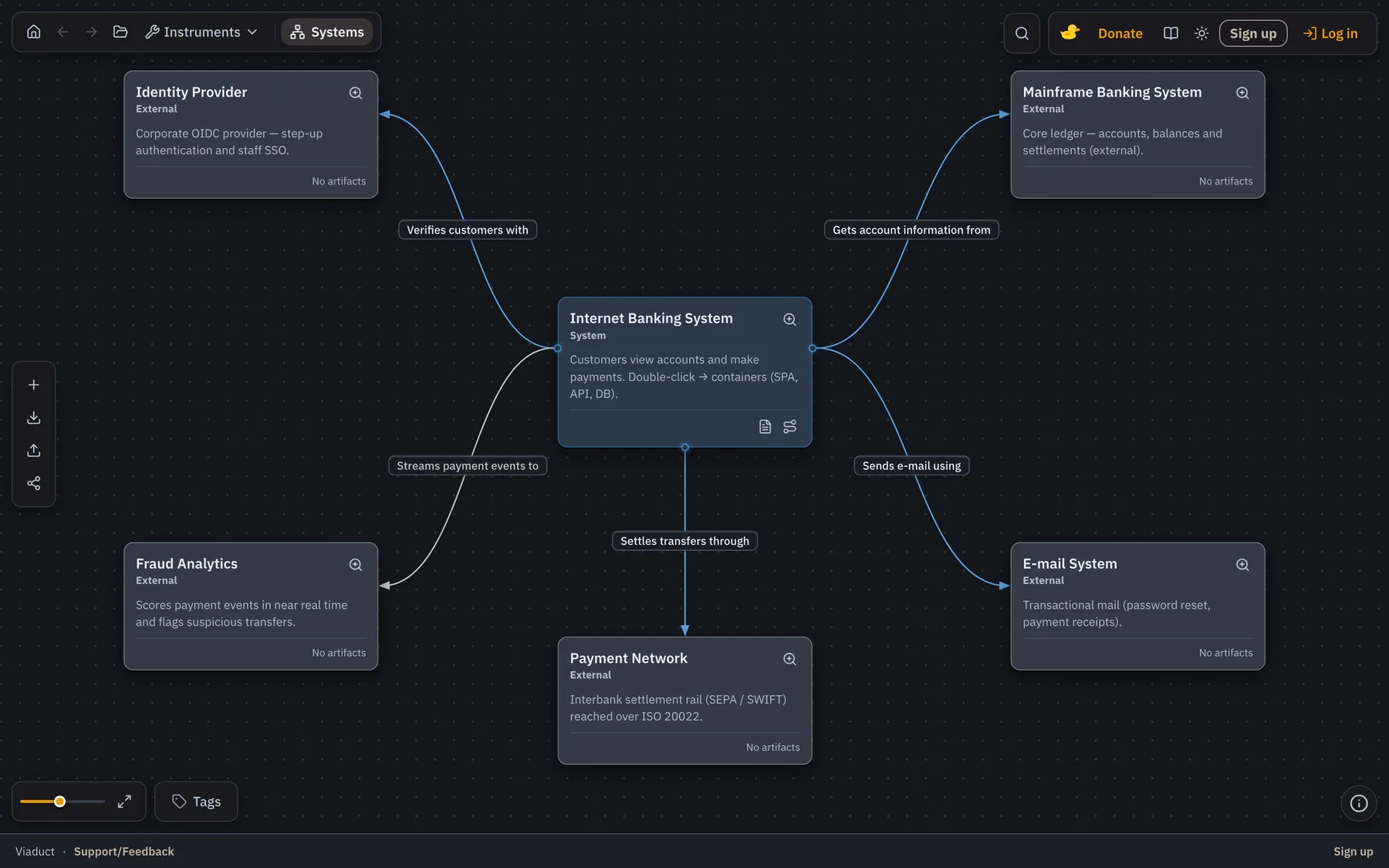
01
From nothing
A system context in a minute, not a diagramming session
Add a person, a system and its neighbours from the menu, name them in the panel, drag a handle to connect and label. Every card is a real element with an id, not a shape — so the model is queryable the moment it exists.
02
Four levels
Drill in only where the system is actually hard
Start at system context, open a container to find its components, open a component to reach the code level. Each step is a move inside one model, not a jump to an unrelated file — so nothing can quietly disagree with the level above it.
03
Containers
Technology on the box, protocol on the arrow
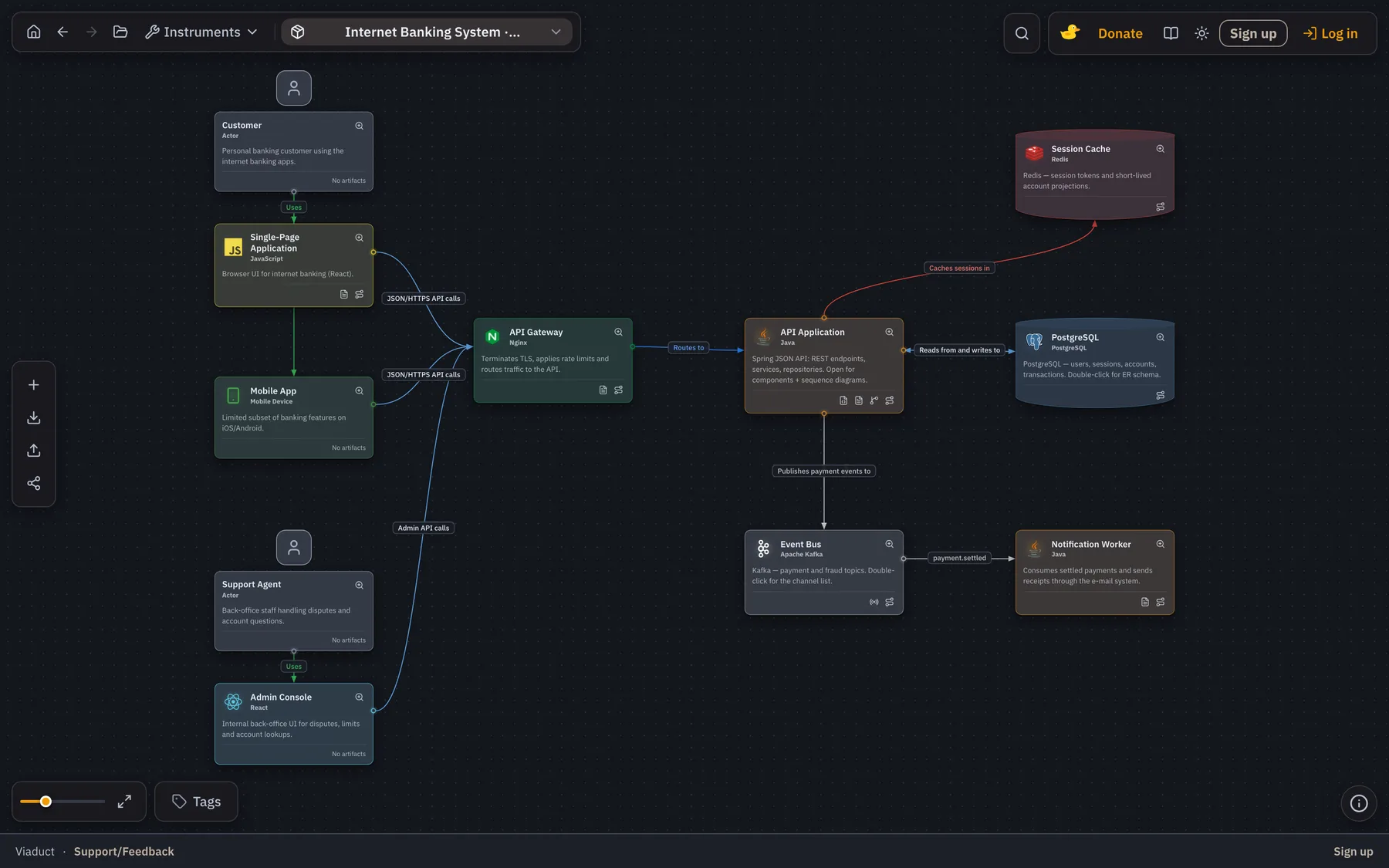
Every container carries what it runs on and one line of responsibility; every relationship carries what flows and how. That is the difference between a diagram someone can act on and a picture of some rectangles.
04
On the element
What a model can carry once the docs live on it
Write the explanation where the element is. Owner, constraints, ops notes and decisions open with the card, so nobody has to guess which wiki page is the current one.
05
Flows
Follow a relationship all the way in
An arrow from the SPA to the API is a starting point, not an answer. Map it to the endpoints and components that implement it, then replay the whole path across the model.
- Build a flow from real relationships, not from a separate drawing.
- Step through it and watch the canvas follow, level by level.
- Share the flow as the explanation of how a feature actually works.
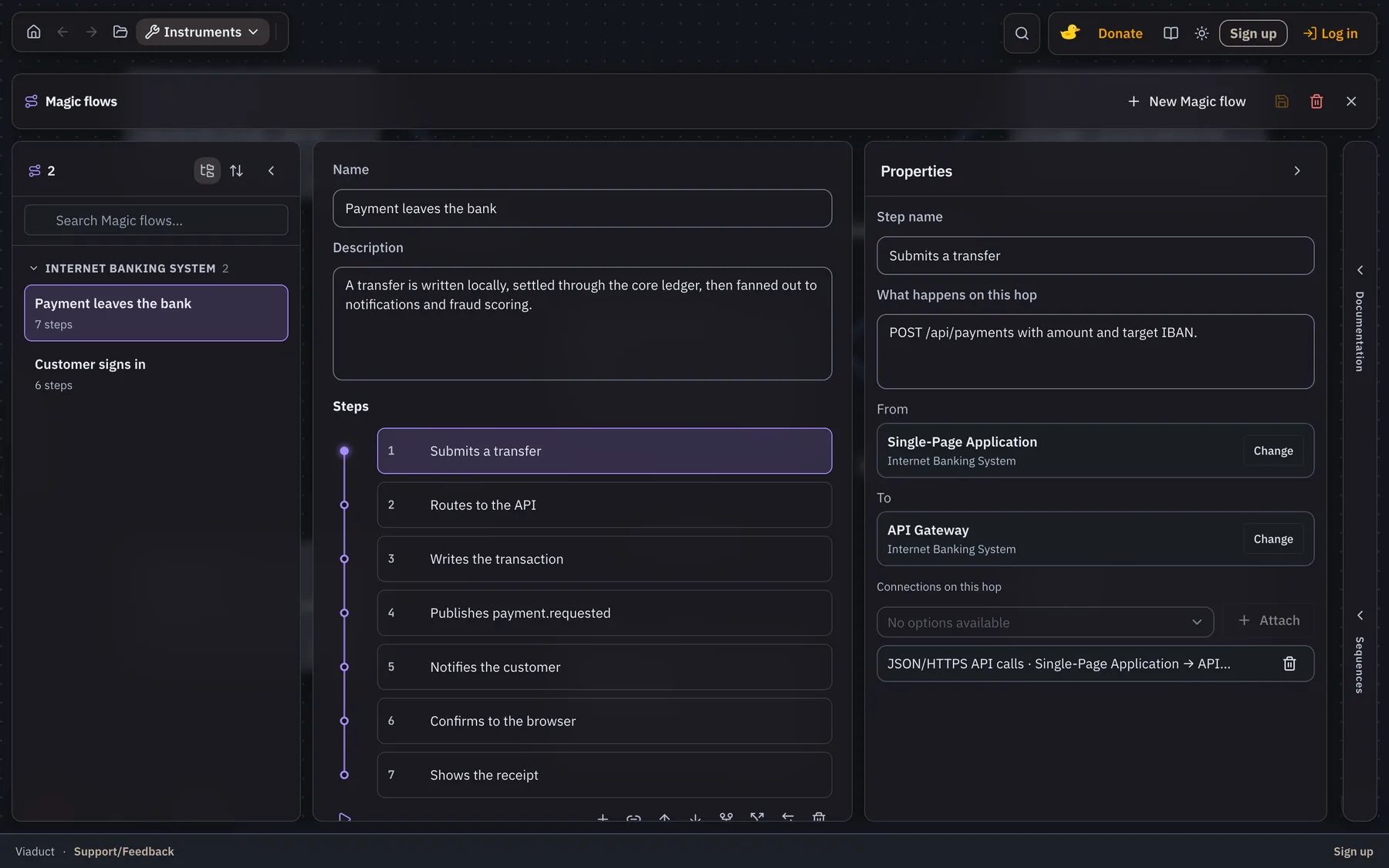
Written in the flow editor, then played back across the model.
06
Change sets
Review a change to the model the way you review code
An edit can be held in a change set until somebody has looked at it. The comparison marks what arrived, what moved and what left, element by element, so the review happens against a diff instead of two screenshots taken a week apart.
- Compare two versions of the model at any of the four levels.
- Open a change set in the editor, or let an agent open one over MCP.
- Approve it and the model moves. Reject it and nothing did.
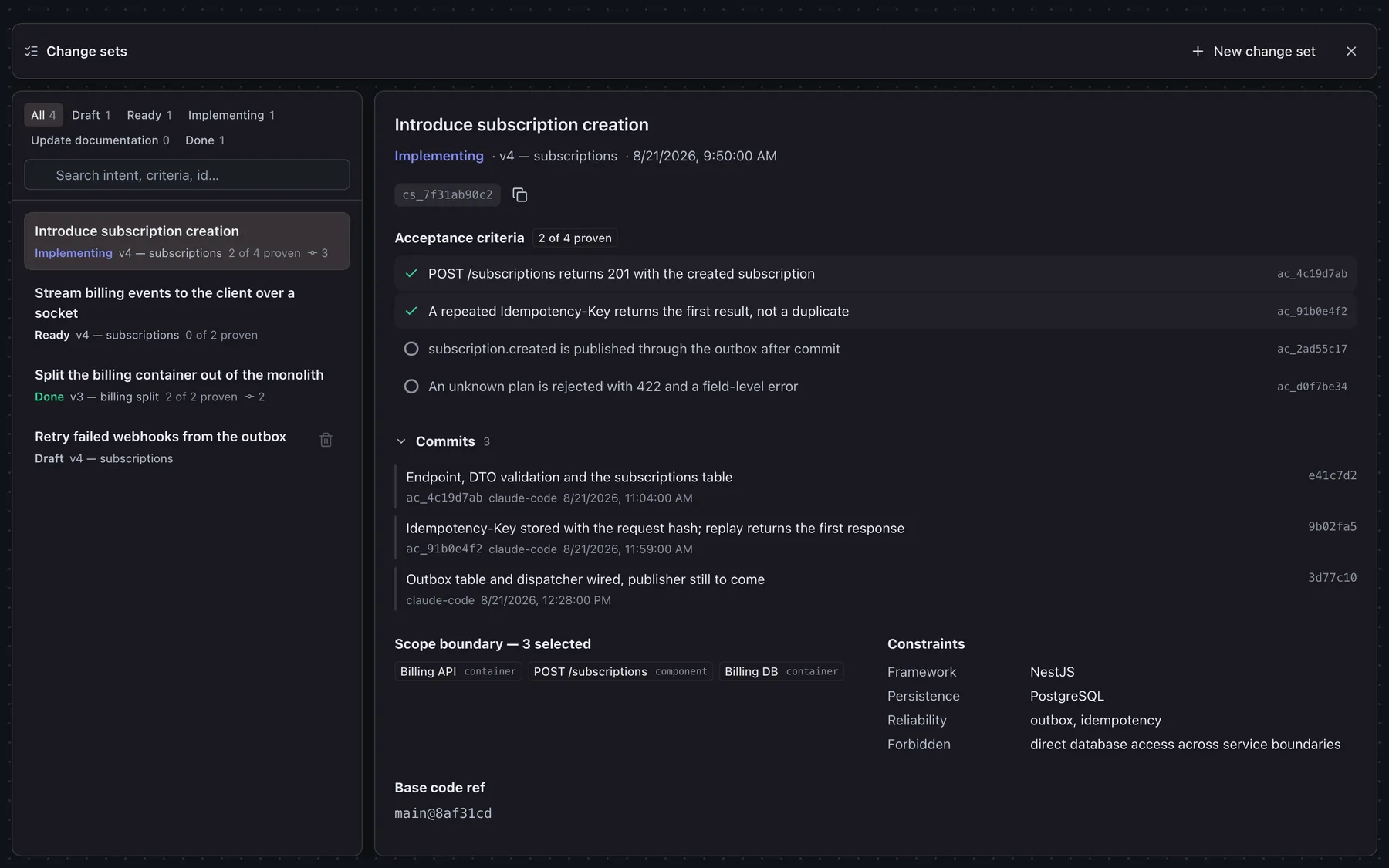
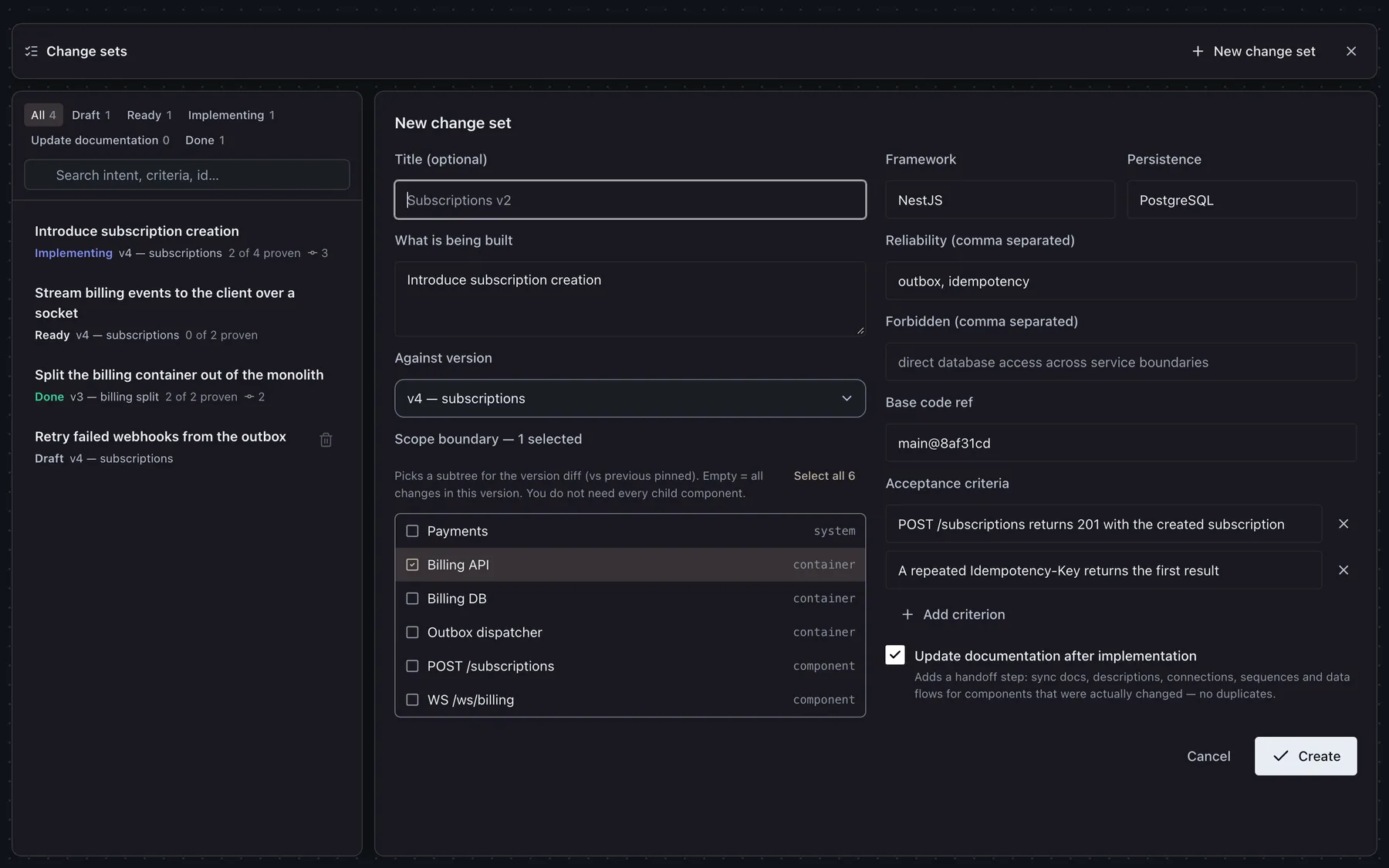
Name the change set first, and every edit after it lands inside it.
07
Catalogue and sharing
Where the models live, and how they leave
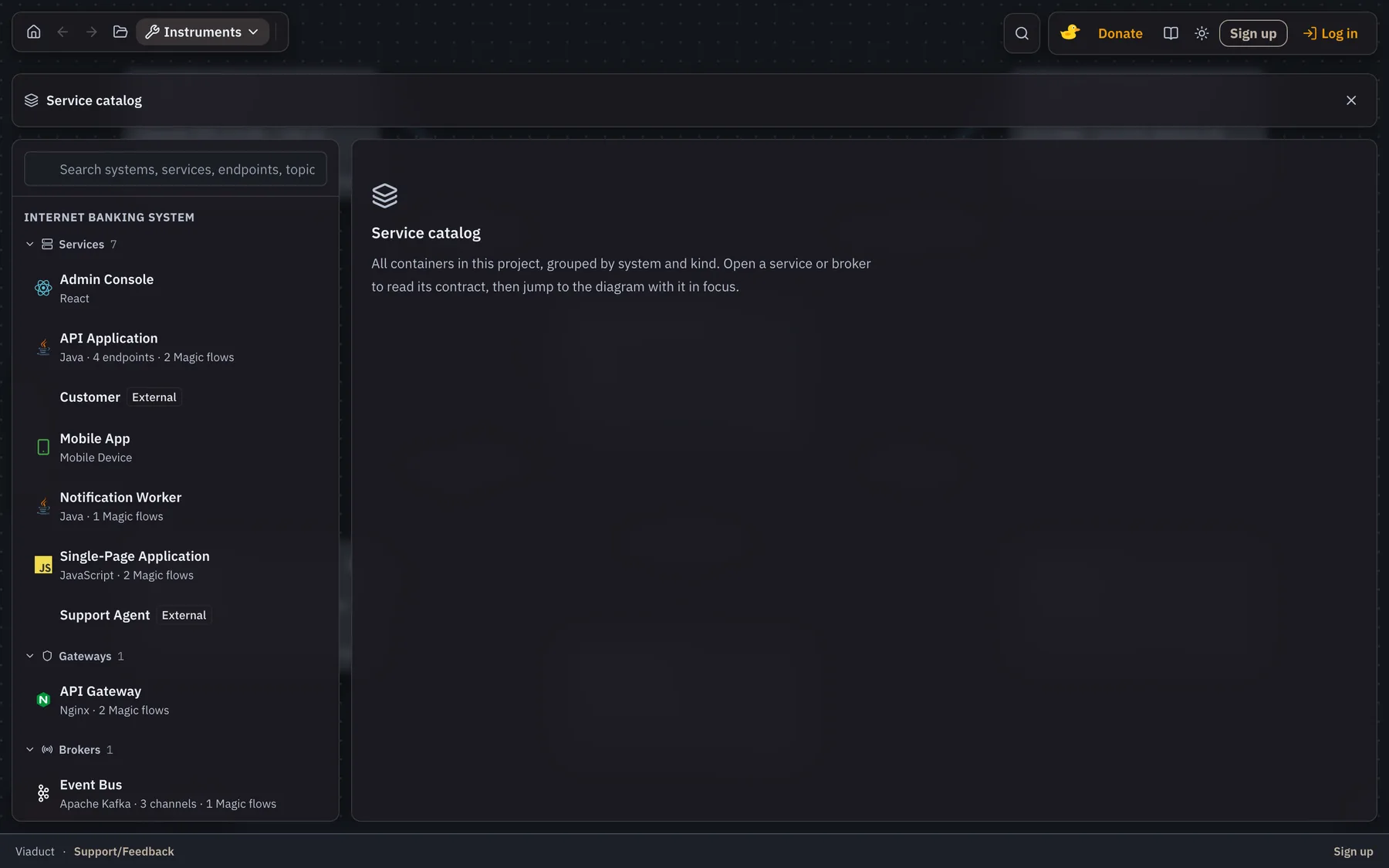
Every model in one catalogue
Projects sit in one list with the systems they hold, so a new joiner finds the model without asking which of the four wikis has it.
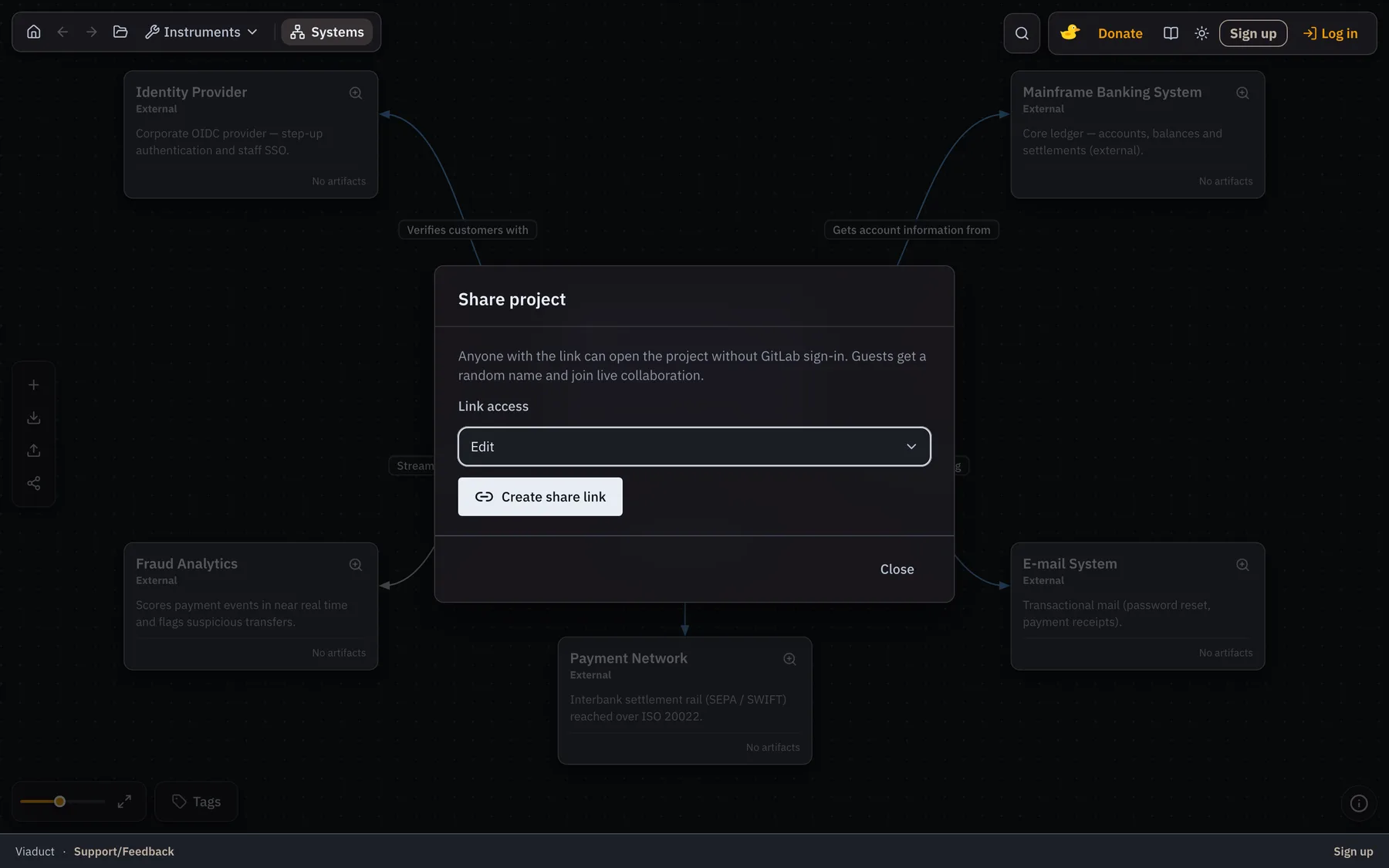
A link instead of a screenshot
Share a model read-only and it opens in the browser at the level you left it on. Nobody needs an account to read what you sent.
08
Capabilities
What is in the box
C4 as the map
System Context, Containers, Components, Code. A container is a runtime boundary — API, database, SPA — not a Docker box. Go deep only where the system is actually hard.
Docs live on the node
Markdown is attached to the element. Opening a card opens the document. No hunt through a second knowledge base for the owner, constraints, or ops notes.
Sequences are not orphans
PlantUML flows hang off the same C4 layer. Participants come from the current diagram so a sequence cannot silently mix abstractions. Embed them back into the element's docs.
Follow a relationship in
An arrow from SPA to API is not enough. Map it to endpoints and components, then jump into that slice. Architecture navigation — not observability cosplay.
ER models and API cards
A database container can open an ER editor with table-level notes. Component-level API endpoints hold method, path, headers, request and response — enough for a review, not a fake OpenAPI suite.
Local, then shared
Work in the browser unsigned. Sign in to save in the cloud, share with a group, see who is on the canvas. Export JSON or a ZIP of an element with its docs and PlantUML.
MCP for Cursor
Authenticated users get an MCP server: live systems, endpoints, markdown and sequences into Cursor or Claude Code. Context for judgement — not a substitute for it. Keep secrets out of the model.
09
Desktop app
Run the whole model on your own machine
Viaduct Desktop is the same editor as a native app for macOS, Windows and Linux, with an MCP server built in and running on localhost. Projects are plain JSON files in a folder you choose, so Cursor and Claude Code read your architecture without it ever reaching a server.
Debian and Ubuntu, 64-bit · DEB · free for 7 days
7 days free
then €10 a month
The trial starts the first time you open the app — no card and no account to create. After that a licence key keeps it running, billed monthly through Stripe and cancelled whenever you like.
Subscribe7 days free, no card asked for
Projects are JSON files you own
MCP server built in, on 127.0.0.1
One licence covers 3 machines
Works offline between licence checks
The builds are not code-signed yet: on macOS, right-click the app and choose Open the first time. Viaduct in the browser stays free — the subscription is the desktop app.
10
Honest limits
What it does not pretend to do
Every tool in this space demos well. Here is what this one does not do, so you can decide against it quickly if it is the wrong fit.
- It does not prove the diagram matches production.
- It does not replace ADRs, OpenAPI/AsyncAPI, source, or observability.
- Not every class deserves a Code-level diagram.
- It does not remove the human work of keeping docs current — it gives that work a home.
Organisation access is granted on request — use Sign up in the editor, or email support@quietgridlabs.com.
Questions people ask first
Do I need an account to use Viaduct?
No. The editor runs locally in the browser and the model stays on your machine. Signing in adds cloud storage, sharing with a group, live collaboration and the MCP server.
Which C4 levels does Viaduct support?
All four — system context, containers, components and code — as one navigable model, so drilling into a container opens its components rather than a separate unrelated diagram.
What does Viaduct cost?
The browser editor is free, including the cloud features you get after signing in. Viaduct Desktop — the app you download and run on your own machine — is free for 7 days on each device and €10 a month after that, billed monthly and cancellable at any time.
What does the desktop app add?
It runs the whole editor natively on macOS, Windows or Linux, keeps projects as plain JSON files in a folder you choose, and starts its own MCP server on 127.0.0.1 — so an agent reads your architecture without it leaving the machine. One licence key covers 3 machines, and an activated copy keeps working offline between licence checks.
Can I export the model?
Yes. Export the whole model as JSON, or a single element as a ZIP containing its Markdown documentation and PlantUML sequences.
What does the MCP server do?
It exposes the model to coding agents such as Cursor and Claude Code: systems, containers, components, endpoints, Markdown and sequences, queried live rather than pasted into a prompt.
Open it on a system you already maintain
Ten minutes with a real architecture tells you more than any feature list. Local use needs no account.